ScanToPDF
Turn paper piles and loose images into one tidy PDF – free, with no account and no ads.
Works fully offline, so your documents never leave your computer.
Download for Windows
macOS – coming soon
01 — A quick look
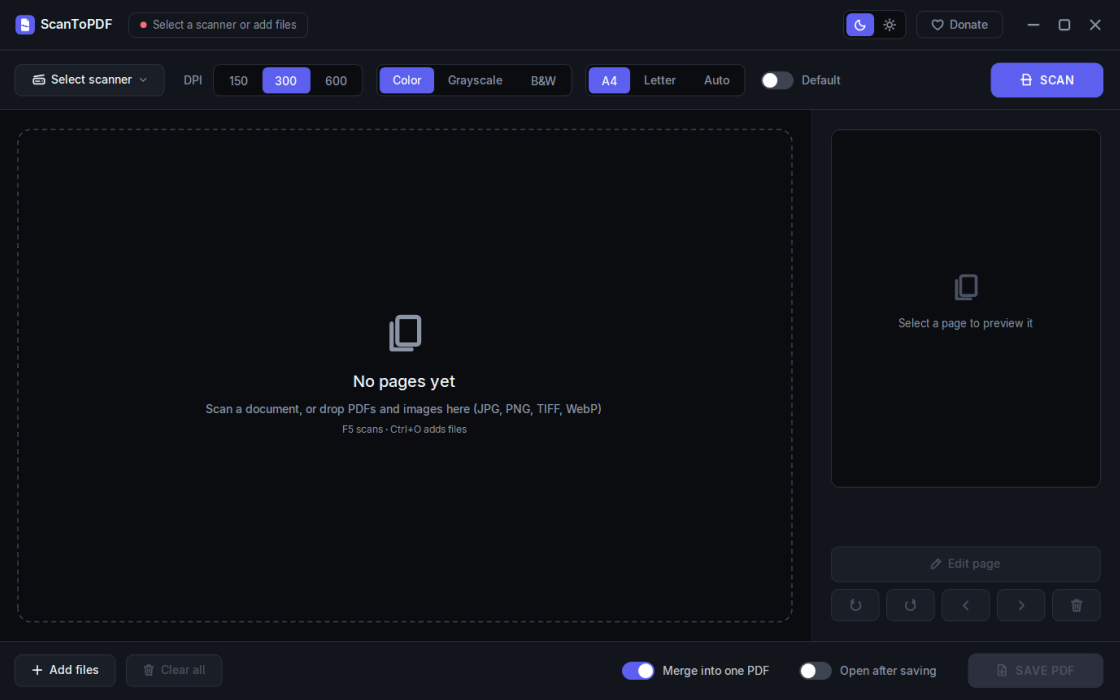
02 — Free version
- Scans straight from any WIA-compatible scanner at 150, 300, or 600 dpi.
- No scanner? Drop in photos, images, or PDFs you already have.
- Rotate, delete, reorder, and extract pages before you save.
- Merges several files into one tidy PDF – or splits them into separate files.
- Keeps full quality: images go in without recompression, PDF pages stay vector.
- Works fully offline – your files never leave your computer.
03 — Pro version adds
- A page editor: type text right on the page, with any font, size, and color.
- Insert images, shapes, and arrows.
- Cut, copy, and erase any area – and paste it on another page.
- Crop one page or all pages at once.
- Undo and redo, with edits saved as vector – no quality loss.
- One-time purchase, no subscription – use the Buy Pro button inside the app.
04 — Good to know
The free version of ScanToPDF stays free. It uses only what Windows already has, keeps nothing about you, and never goes online your files stay yours. A macOS version is on the way.
Like every tool here, it started as a small annoyance in my own routine. It comes as it is, with no warranty – just a small tool, shared in good faith.
05 — Support
Found it useful?
If it saved you a little time, a small tip keeps it going.
No pressure – it stays free either way.